Chair height looks like a simple adjustment. You pull the lever, move the seat up or down, and start working. But the height of your chair affects how your body meets the desk, where your feet rest, and how your arms sit while typing.
I used to think that finding the right height was mostly about what felt comfortable. After using the same office chair for around four years, I found that a better approach was to check a few things together: my feet, my elbows, my shoulders and the height of my desk.
My own setup
I am around 6 ft tall and about 80 kg. My desk is adjustable and is around 32 inches high when I use it in my normal setup. With my chair, I generally keep the seat around the medium height setting. At that height, my feet are properly supported, my shoulders stay relaxed and my elbows are around 85 degrees while typing.
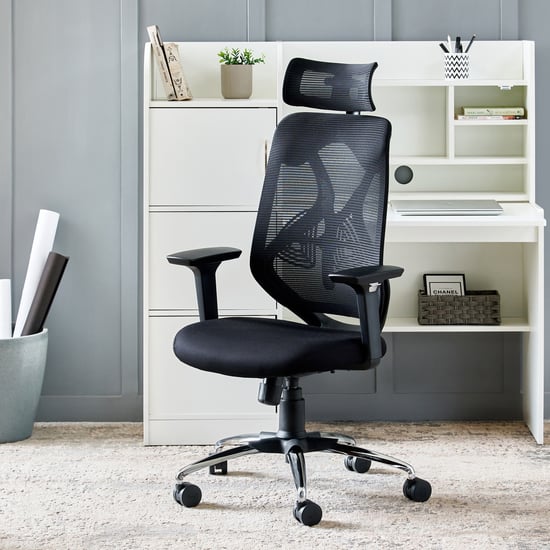
There isn't one chair height that works for everyone
One mistake I see in discussions about chair setup is looking for a single number that everyone should use. Your correct chair height depends on your body, your desk and the relationship between the two.
Someone who is 5 ft 4 in tall may need a very different setting from someone who is 6 ft tall. A fixed 30-inch desk will also create a different setup from an adjustable desk.
That's why I prefer checking the position of the body instead of saying that everyone should set their chair to a particular height.
The simple three-part check
When I set up a chair, I don't start by looking at the height number on the gas lift. I sit normally and check three things:
- Are my feet properly supported?
- Are my shoulders relaxed while my hands are on the desk?
- Are my elbows in a comfortable position while typing?
If all three feel right together, the chair height is probably in a useful range for that particular desk and person.
Step 1: Start with your feet
Sit all the way back in the chair and put your feet in your normal position. You should be able to support your feet properly rather than sitting with them dangling.
This was easy for me with my own setup. Even though I am around 6 ft tall, I could keep my feet supported while using the medium chair-height setting.
That is useful because I didn't have to choose between reaching the desk and supporting my feet. Both worked together with my adjustable desk.
What if your feet don't reach the floor?
If you have raised your chair because your desk is high and your feet no longer sit comfortably, don't simply ignore it. A properly sized footrest can provide support.
The important lesson is that you should look at the chair and desk as one setup. Raising the chair may solve an arm-position problem while creating a foot-support problem.
Step 2: Check your elbows while typing
Next, put your hands where they normally are when typing. Let your shoulders relax rather than deliberately forcing them down.
Your elbows should remain comfortably bent and close to your body. A roughly right-angle position is a useful starting point, but it doesn't have to be an exact number for every person.
In my own setup, I measured my elbow position at around 85 degrees while typing. More importantly, my shoulders were relaxed and I wasn't having to lift them to reach the desk.
Don't chase an exact number
My 85-degree elbow position is what worked for me. I would not tell every reader to copy that exact angle. Use it as a reference, then check whether your shoulders remain relaxed and your hands reach the keyboard naturally.
Step 3: Look at the desk, not just the chair
Your chair doesn't exist separately from your desk. If the desk is too high or too low, changing the chair height may only move the problem somewhere else.
My desk is adjustable and is around 32 inches high in my usual setup. That flexibility made the process much easier because I could make the desk and chair work together rather than forcing the chair to compensate for a fixed desk.
If your desk is too high
You may raise the chair so that your arms meet the desk comfortably. If that causes your feet to lose proper support, a footrest is one possible solution.
If your desk is too low
Lowering the chair may keep your arms in a comfortable position, but you also need to make sure your legs and feet remain properly supported. If the desk is genuinely too low, changing the desk height may be more sensible than compromising your sitting position.
If your desk is adjustable
An adjustable desk gives you more flexibility. Instead of forcing the chair to match a fixed desk, you can make smaller changes to both.
This is one reason I found my own setup straightforward. I could keep the chair around medium height and use the desk adjustment to maintain a comfortable working position.
My actual chair-height routine
When I first started using my chair, I didn't simply sit down and accept whatever height it happened to be at. I checked the setup.
I looked at my feet, the desk, my elbow position and how relaxed my shoulders felt. Once I found a position that worked, I generally kept the chair around medium height.
I didn't constantly change the chair height throughout the day. My normal working position stayed around the same medium setting because it worked with my desk.
That is an important point: the "right" chair height doesn't mean you need to keep adjusting the lever every hour. If your setup works well, there is nothing wrong with keeping a consistent setting.
What changed after four years?
One useful thing about using the same chair for several years is that you get to see whether the adjustment mechanisms continue to work.
In my case, the chair's height adjustment continued to work properly after around four years. I could still make the height adjustment normally.
The chair did have other signs of long-term use. The mesh had become loose, the cushion colour had changed and the armrest adjustment eventually needed maintenance. But the height adjustment itself was still working fine.
That experience is why I now look at adjustment mechanisms as something worth considering when buying a chair. A feature is useful only if you can continue to use it reliably.
A quick chair-height test you can do at your desk
If you are sitting in your chair right now, you can check your setup without measuring the chair itself.
- Sit normally. Don't exaggerate your posture just for the test.
- Put both feet in their normal position. Check whether they are properly supported.
- Place your hands on the keyboard. Keep your shoulders relaxed.
- Look at your elbows. They should be comfortably bent rather than forced extremely straight or extremely closed.
- Look at your shoulders. If you have to lift them to reach the desk, something needs changing.
- Check the desk. If the chair position works for your body but not the desk, adjust the desk if possible rather than immediately compromising your feet or shoulders.
Signs your chair may be too high
There are a few practical signs that can tell you your chair is higher than it needs to be.
- Your feet cannot rest comfortably on the floor.
- You feel unsupported under your legs.
- You are raising your shoulders to reach the desk.
- Your elbows are forced into an awkward position.
- You are constantly changing your position because the setup doesn't feel natural.
One sign by itself doesn't necessarily mean your chair is wrong. Look at the entire setup before making a change.
Signs your chair may be too low
- Your knees are noticeably higher relative to your hips.
- Your arms have to reach upward toward the desk.
- Your shoulders feel lifted while typing.
- Your wrists or hands feel like they are reaching upward to the keyboard.
- The desk feels unusually high compared with your sitting position.
If the chair is too low because the desk itself is low, simply raising the chair may not solve everything. This is another reason to consider the complete desk-and-chair combination.
Don't forget your monitor
Changing chair height also changes your eye position relative to the monitor.
After you settle on your chair height, take another look at your screen. You may need to adjust the monitor so that you aren't compensating for the new sitting position by constantly looking too far up or down.
I treat chair height as the starting point rather than the entire ergonomic setup. Once the chair and desk work together, the monitor and other accessories become easier to position.
Do you need to change your chair height during the day?
Not necessarily.
I generally kept my chair around medium height during normal work rather than repeatedly changing it throughout the day. Since my desk was adjustable and my feet were supported, I didn't feel the need to keep moving the chair height.
If your setup changes during the day, however, changing the height can make sense. For example, moving between different desks or using a different workstation may require a different setting.
The goal is not to find one magic number and use it everywhere. The goal is to find a position that works with the particular desk and workstation you are using.
What I learned from my own setup
My biggest takeaway is that chair height is easier to get right when you stop thinking about the chair by itself.
My own setup was fairly straightforward: I am around 6 ft tall, my desk is adjustable and around 32 inches high, and I normally keep the chair around medium height. My feet stay supported, my shoulders remain relaxed and my elbows are around 85 degrees while typing.
I checked those things when setting up the chair instead of simply choosing a height because it felt comfortable for the first few minutes.
After around four years, the chair's height adjustment was still working properly. That gave me some confidence that the basic adjustment mechanism had held up even though other parts of the chair showed normal signs of long-term use.
When you should re-check your chair height
You don't need to measure yourself every morning. But it is worth checking the setup when something changes.
- You buy a new desk.
- You buy a new chair.
- You move to another workstation.
- You change your monitor position significantly.
- You notice that your shoulders, arms or feet no longer feel naturally positioned.
- Your chair's adjustment mechanism begins behaving differently.
A chair height that works perfectly with one desk does not automatically work with another. The relationship between the chair, desk and your body is what matters.
Frequently made mistakes
Choosing a chair height based only on your height
Being 6 ft tall does not automatically tell you the exact chair height you should use. I am around 6 ft tall myself, but my preferred setting depends on my desk as well as my body.
Copying someone else's chair setting
Another person's chair setting is useful only as a starting reference. Their desk, body proportions and working position may all be different.
Ignoring the feet
It is easy to focus entirely on the keyboard and forget what is happening underneath the desk. Your feet are part of the setup too.
Assuming "comfortable" automatically means "correct"
Comfort is important, but I prefer to combine it with a quick physical check. If your feet are supported, your shoulders are relaxed and your arms reach the desk naturally, you have much more information than comfort alone provides.
Final checklist
Before you settle on your chair height, check:
- Feet: properly supported.
- Desk: at a workable height for your arms.
- Elbows: comfortably bent while typing.
- Shoulders: relaxed rather than raised.
- Wrists: able to reach the keyboard naturally.
- Chair: adjusted to your body and desk rather than copied from someone else.
- Monitor: re-checked after changing your sitting height.
Conclusion
The right office chair height isn't a universal number. It is the height at which your chair, desk and body work together without forcing you to compensate somewhere else.
In my own case, I am around 6 ft tall and use an adjustable desk that is around 32 inches high. I normally keep my chair around medium height. My feet remain supported, my shoulders stay relaxed and my elbows sit around 85 degrees while typing.
I found that setup by checking the actual relationship between my body and the desk rather than simply choosing a chair height because it felt comfortable. After around four years, the chair's height adjustment was still working properly.
If you are setting up your own chair, start with your feet and desk, check your elbows and shoulders while typing, and then make small adjustments. If your desk and chair cannot give you a comfortable arm position while keeping your feet supported, change the desk setup or consider a footrest rather than forcing your body to compensate.
For the next step, see our complete ergonomic sitting posture guide or our monitor and chair setup guide .